We are not biased. We test and review every product. Here's our Methodology.

We put Visme to the test! This review reveals its practical value, key trade-offs, and whether it’s a smart choice for creators and teams.

MobileAppDailyCertified Rating
4.5 out of 5
Let Your Product Take the Center Stage with Our Review
Riya

Written By Riya

Riya turns everyday tech into effortless choices! With a knack for breaking down the trends and tips, she brings clarity and confidence to your downloading decisions. Her experience with ShopClues, Great Learning, and IndustryBuying adds depth to her product reviews, making them both trustworthy and refreshingly practical. From social media hacks and lifestyle upgrades to productivity boosts, digital marketing insights, AI trends, and more—Riya’s here to help you stay a step ahead. Always real, always relatable!

Explore More By Author

Visme Review: Should You Switch or Stick to What You Use?
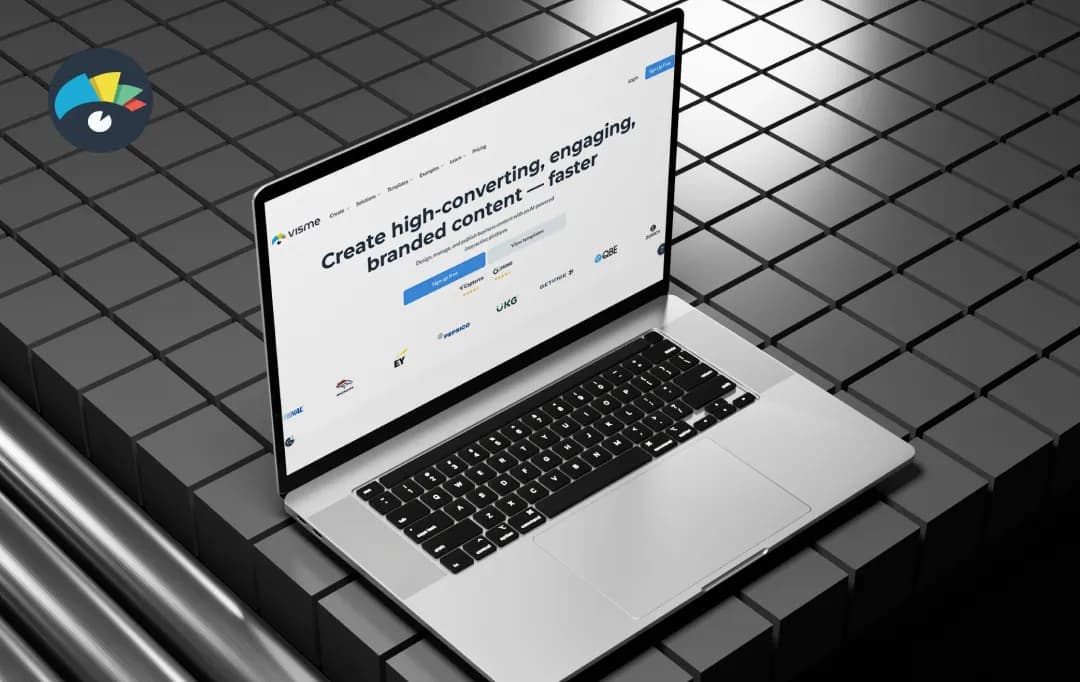
Visme

You've got a client pitch on Monday, a quarterly report due Friday, and an Instagram carousel your manager wanted yesterday. Three tools, three logins, triple the effort. That's the mess Visme is trying to clean up.

It's a browser-based design platform that bundles presentations, infographics, social graphics, reports, and even short videos into one workspace, with a fat template library and an AI assistant doing the heavy lifting.

The pitch is simple- you don't need to be a designer to look like one. We took it for a proper spin to see whether it actually delivers on that promise or if it's just another tool yelling all-in-one into the void. Here's our Visme review, which gives you an honest breakdown of the tool.

Pros and Cons of Visme

Pros

  • Massive template library spanning 50+ content types
  • AI Designer turns text prompts into ready-to-use designs
  • Brand Kit and Brand Wizard pull your brand identity in automatically
  • Real-time collaboration with comments and version control
  • Interactive elements like hotspots, hover effects, and animations
  • Solid native data visualization with live data integration
  • 25+ integrations including HubSpot, Salesforce, Slack, and Mailchimp

Cons

  • Free plan blocks downloads, you can create, but not actually use your work
  • AI features run on a monthly credit system that can run out
  • Can slow down on heavy animations or complex projects

A Closer Look at Visme Features

Visme is one of the best AI presentation makers, which stretches across several content formats, and each one comes with genuinely useful firepower under the hood. Here are the Visme features that stood out during our testing.

1. Visme AI Designer 

This is the main draw of the platform. You type out what you want, pick a format, and the AI Designer spits out an editable draft almost instantly. The catch? It runs on a metered system. Every time you ask the AI to generate an image, write copy, or build out a slide layout, it costs you credits. Basic accounts get a meager 10 per month. Stepping up to Starter gets you 200, while Pro users sit at 500.

When the clock is ticking, and you're staring at a completely empty screen, having the software handle that initial heavy lifting takes a huge amount of pressure off.

2. Template Library Across 50+ Formats 

Templates are where this platform really earns its keep. You aren't just getting a handful of slide decks. The library spans over 50 different categories of content—everything from standard presentations and quick flyers to full-blown ebooks and complex infographics.

The standout detail here is the actual design quality. These templates look like a real graphic designer built them, completely avoiding that cheap, cookie-cutter vibe you often see elsewhere. It completely removes the dread of starting from absolute zero every time you need to build something in a new format.

Digging through the massive catalog is pretty painless, too. You can just filter by your specific industry or project type to grab exactly what you need without scrolling forever.

3. Brand Kit and Brand Wizard 

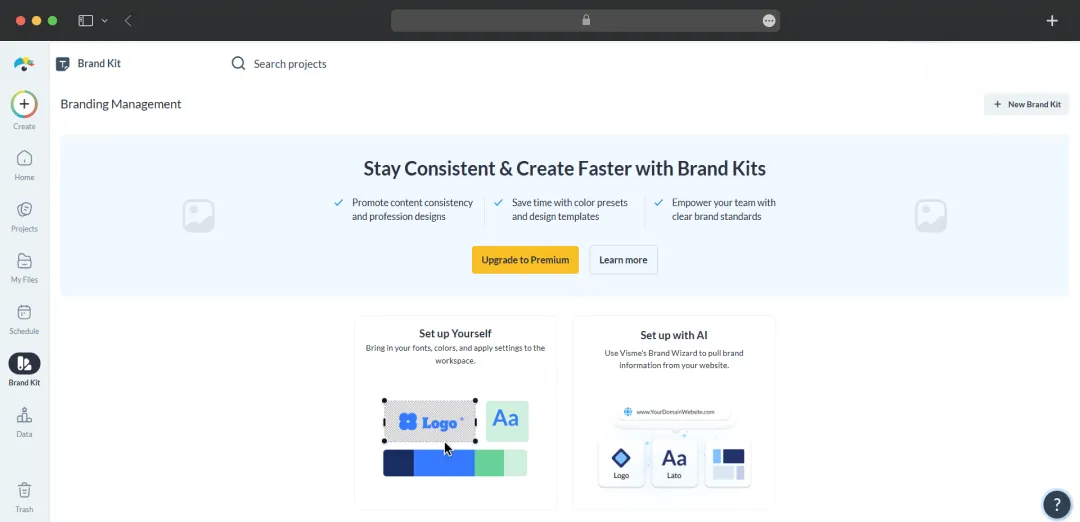
Drop your website URL into the Brand Wizard, and Visme pulls your fonts, colors, and logos automatically. From there, your Brand Kit applies those assets across every new design without you having to fiddle with hex codes or upload logos every other minute. For agencies and marketing teams managing multiple brands at once, this alone saves a significant chunk of setup time.

4. Interactive Data Visualization 

Static charts are a snooze, and this tool fully understands it. You can build animated charts, link them to live data sources like Google Sheets, and add hover effects that reveal extra info on click. This works particularly well for client reports and pitch decks where you want the numbers to actually land instead of getting glossed over.

5. Real-Time Collaboration and Workflow Tools 

Multiple teammates can edit the same project simultaneously, leave comments, and tag each other for feedback. The Pro plan adds project permissions and shared content blocks, while Enterprise unlocks approval workflows and audit logs for content governance. 

6. Animation and Interactivity Layer 

Beyond static visuals, Visme lets you embed clickable menus, animated transitions, GIFs, and even videos directly into presentations and reports. The result feels more like a microsite than a slide deck, which is great for pitches you're sending over email instead of presenting live.

7. Social Media Scheduler 

You can plan, schedule, and publish posts across multiple platforms straight from the Visme dashboard. It's not as deep as a dedicated tool like Buffer or Hootsuite, but if your social workflow lives inside the same place where your designs are made, it cuts out a tab.

Classifying Visme Use Cases by Industry

One of Visme editor’s selling points is that it's not built for a single role. Whether you're stitching together a board deck or designing a school worksheet, the tool flexes to fit. Here's how different industries and personas actually put it to work.

Industry Use Case Explanation
Marketing Teams Build branded campaign decks, social graphics, lead magnets, and interactive landing pages without needing a designer for every asset
Sales & Account Managers Create pitch decks, proposals, and one-pagers with interactive elements like clickable menus and embedded videos for better engagement
HR & Training Departments Design onboarding materials, employee handbooks, training manuals, and export SCORM files for LMS integration
Education (Teachers & Institutions) Produce lesson slides, infographics, worksheets, and visual study guides with discounted pricing for educators
Sales / Sports Organizations Create partnership decks, sponsor reports, and data-driven sales collateral for major franchises and teams
Agencies & Consultancies Manage multiple brands, produce client reports, and deliver polished assets quickly
Healthcare & Pharma Create patient education materials, compliance reports, training modules, and conference visuals with simplified data presentation
Finance & Insurance Build investor reports, earnings decks, regulatory summaries, and policy explanation documents
Nonprofits & NGOs Produce donor reports, impact infographics, fundraising decks, and grant proposals with access to discounted Pro features
Small Business Owners & Solopreneurs Create complete content assets including branding, social posts, flyers, ebooks, and pricing sheets independently
Project & Product Managers Develop timelines, roadmaps, reports, and visual planning assets using whiteboards and flowcharts

Bonus Read: Best Design Apps Like Canva

Visme Pricing and Subscription Plans 

Visme AI presentation maker runs a tiered pricing structure with a free Basic plan plus three paid tiers, all built around annual billing. Here's how it breaks down.

Plan Price (Annual Billing) What You Get
Basic Free • 10 AI credits/month
• 500MB storage
• Basic templates
• Watermarked downloads
Starter $12.25/user/month • 200 AI credits
• 1GB storage
• JPG/PNG/PDF downloads
• Full template access
Pro $24.75/user/month • 500 AI credits
• 10GB storage
• Unlimited downloads
• HTML5 interactive content
• Brand kit
• Team collaboration
Enterprise Custom (contact sales) • 25GB/user storage
• SSO & 2FA
• Audit logs
• SCORM export
• Dedicated customer success manager

Why Trust MobileAppDaily?

For us, Product Reviews mean diving headfirst into the functionality of each digital product, whether it's an app, software, or website. Our process centers around hands-on testing of each tool we pick. From scrutinizing features to testing vulnerabilities of security standards, the goal remains to help you find products that don't just work but truly elevate your experience. In a nutshell, if we're recommending a product, it's because we believe it'll genuinely make your digital life easier.

  • Products Reviewed - 4,000+
  • No. Of Experts - 20+
  • Categories - 65+
Explore Our Methodology

Customer Reviews

Checking...

Rate the product based on your experience?

How was your experience with the product?

Also Reviewed By Us

MobileAppDaily’s Ratings for Visme

Expert Opinion
Feature

FEATURE

4.8

All-in-one visual design platform with templates, interactive elements, data visualization, and brand management.

Pricing

PRICING

4.2

Basic free tier available; paid plans required for premium assets, high-res downloads, and team tools.

Performance

PERFORMANCE

4.5

Reliable cloud editor, though heavy animations or complex multi-page projects may cause minor lag.

UI/UX

UI/UX

4.6

Intuitive drag-and-drop interface for non-designers, though the vast toolset can slightly overwhelm beginners.

Visme vs. Its Top Competitors in the Market 

Visme AI isn't the only player in the visual content game, and depending on what you're after, a competitor might fit better. We've put this AI presentation maker head-to-head against the two tools it gets compared to most often: Canva and Piktochart, the infographic specialist that's been around almost as long.

Feature Visme Canva Piktochart
Starting Paid Price $12.25/user/month (annual) $12.99/month or $119.99/year $29/month for Pro
Free Plan Quality Limited (watermarks, no downloads) Usable with 1.6M+ templates and 5GB storage 7-day full access, then restricted
Template Library 50+ content types, thousands of templates 1.6M+ templates across 100+ design types Strong in infographics, narrower scope
Best Strength Interactive content, data visualization, branded reports Social graphics, massive template volume, ease of use Clean, data-focused infographics
AI Capabilities AI Designer (credit-based) Magic Studio (Write, Resize, Edit) Pikto AI with up to 1,000 credits (Business)
Data Visualization Live data integration, animated charts Basic charts Strong charts with Excel/Sheets sync
Collaboration Real-time editing, comments, approvals (Pro+) Real-time editing across paid tiers Team workspace with comments
Learning Curve Moderate Beginner-friendly Beginner-friendly
Best For Branded, interactive, data-heavy content Social media, quick design needs Infographic-driven reports and presentations

Visme vs. Its Top Competitors in the Market 

Visme AI isn't the only player in the visual content game, and depending on what you're after, a competitor might fit better. We've put this AI presentation maker head-to-head against the two tools it gets compared to most often: Canva and Piktochart, the infographic specialist that's been around almost as long.

How to Get Started with Visme

Visme’s onboarding doesn't make you fight the platform. You can go from blank canvas to a finished design in under 30 minutes, assuming you don't get sidetracked by the template gallery (and you probably will). Here's how to actually get rolling once you're inside.

Step 1: Land on the Dashboard and Hit "Create New" 

 Land on the Dashboard and Hit "Create New" 

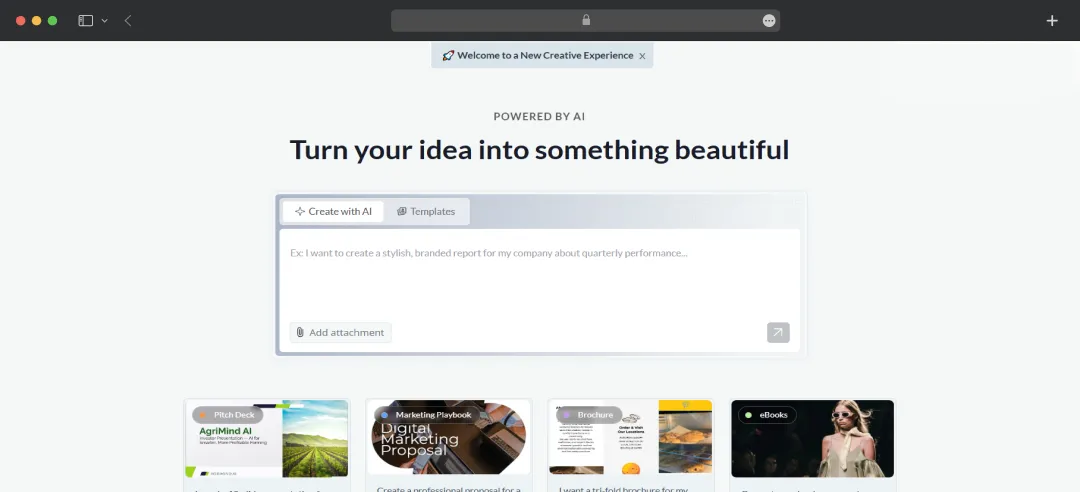
The main dashboard is your control center. Your projects, folders, brand kit, and account settings all live here. To start a new design, click the Create New button and select Project from the dropdown. From here, you can either browse content categories or jump straight into the AI Designer. 

Step 2: Pick Your Content Type (or Let AI Build It For You) 

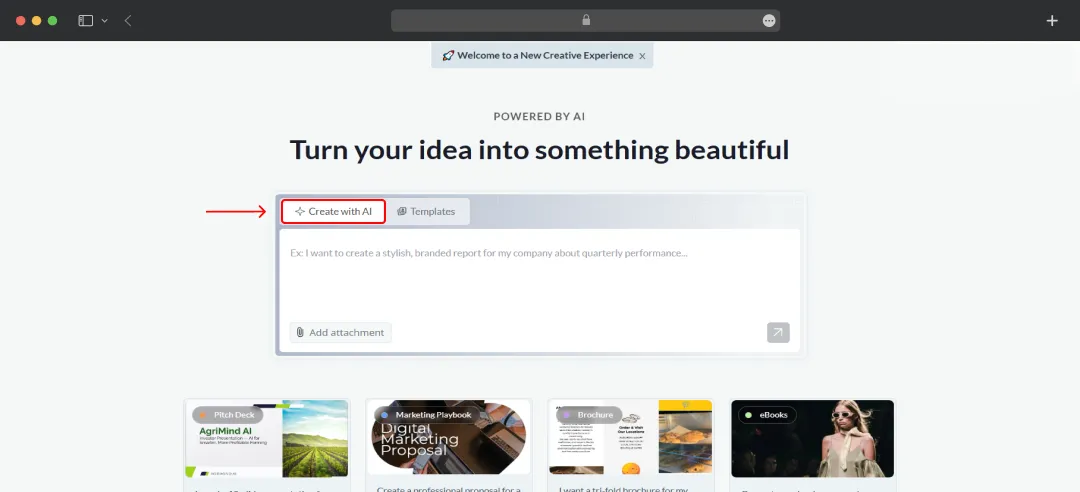
You'll see a grid of categories, presentations, documents, infographics, social graphics, videos, forms, and more. Pick whichever fits your project. If you're short on time, look for the Create with Visme AI option in the templates library. 

Pick Your Content Type (or Let AI Build It For You) 

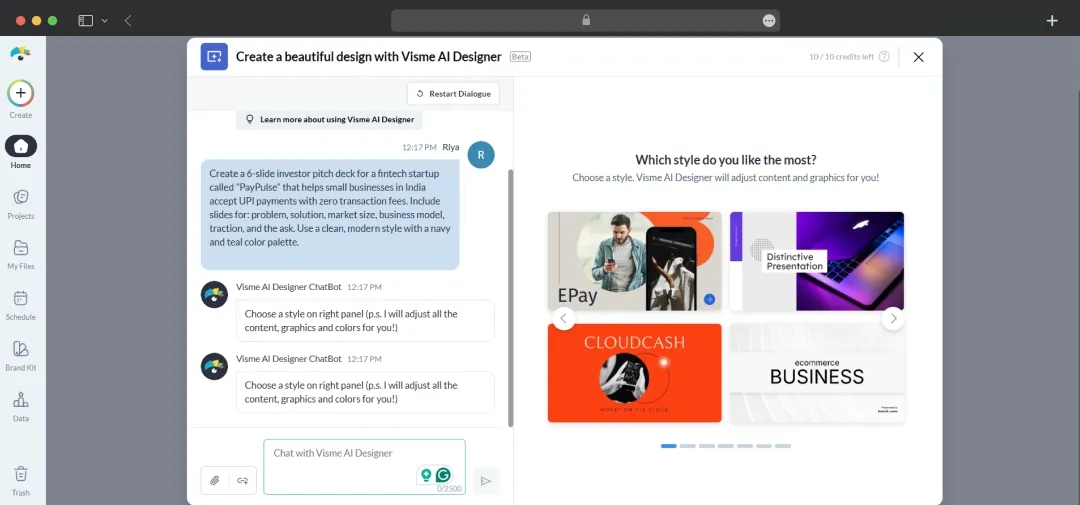
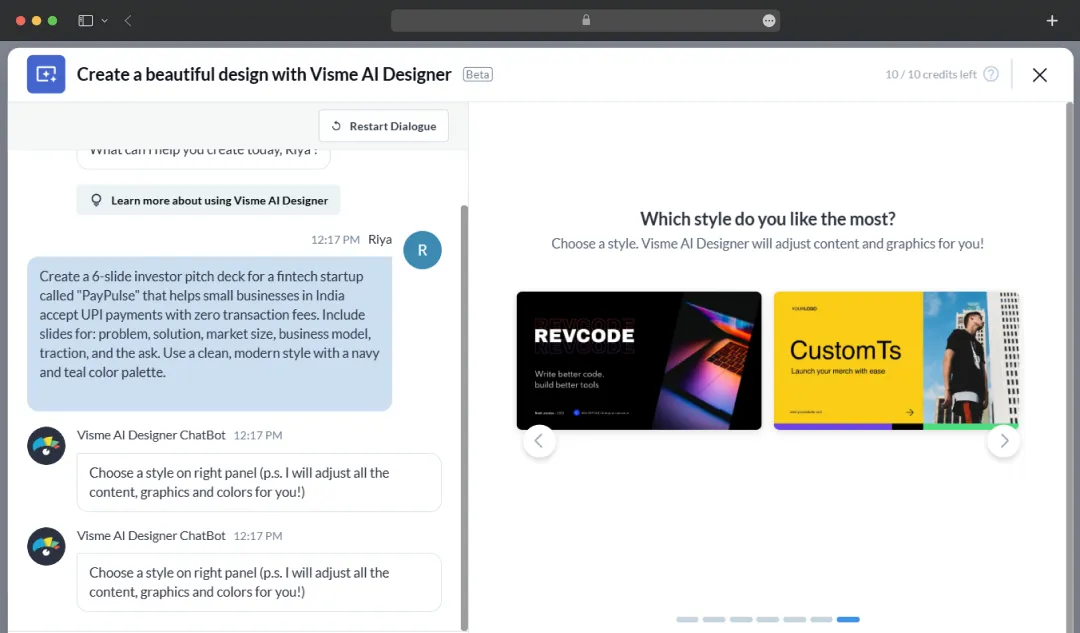
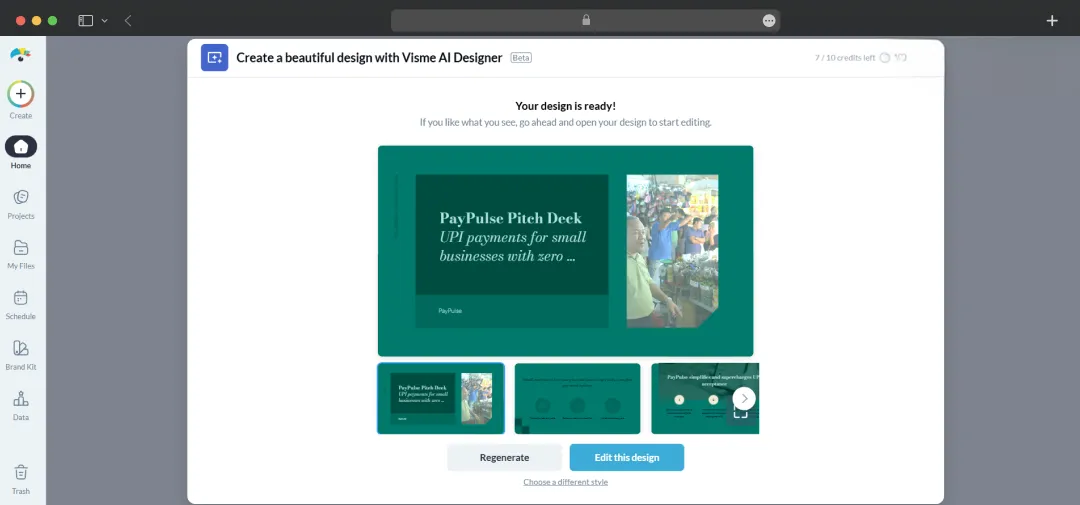
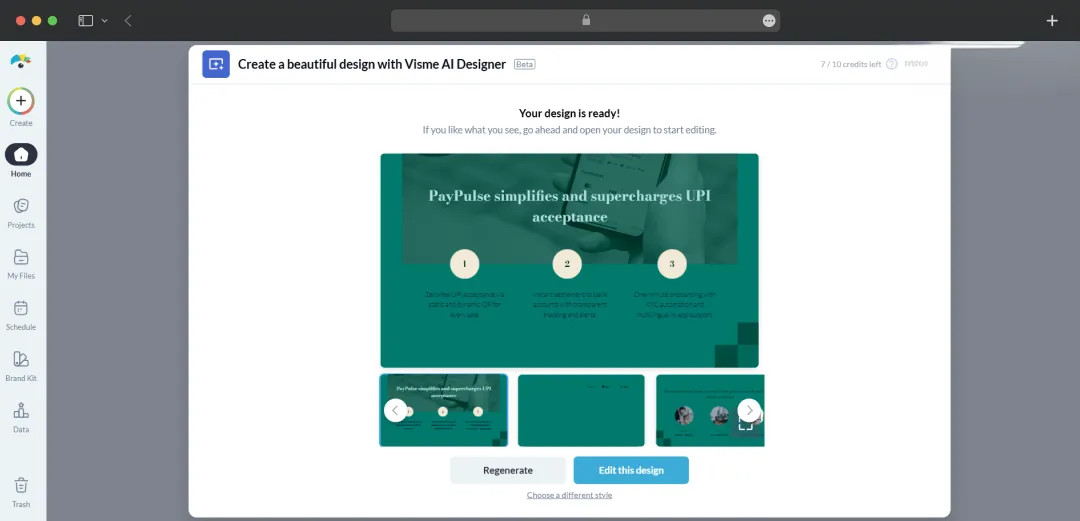
Type in a prompt describing what you need, and the AI Designer drafts a structured first version up to 10 pages long. It runs on monthly AI credits, with Basic getting 10, Starter 200, Pro 500, and Enterprise unlimited. 

Pick Your Content Type (or Let AI Build It For You)

Our Prompt: Create a 6-slide investor pitch deck for a fintech startup called "PayPulse" that helps small businesses in India accept UPI payments with zero transaction fees. Include slides for: problem, solution, market size, business model, traction, and the ask. Use a clean, modern style with a navy and teal color palette.

Step 3: Choose a Template and Open the Editor 

Choose a Template and Open the Editor

Browse templates by category, theme, or use case, then click Edit on any one you want to work with. The drag-and-drop editor loads with your template ready to customize. 

The left sidebar holds your assets (text blocks, graphics, photos, icons, charts, data widgets), the canvas sits in the middle, and style and layer controls appear on the right when you select an element.

Step 4: Set Up Your Brand Kit 

Before you start tweaking colors slide by slide, set up your brand once so Visme applies it everywhere. Open the My Brand section, then either upload your logo, fonts, and color palette manually or paste your website URL into the Brand Wizard,  it scrapes everything automatically in seconds. 

Pick Your Content Type (or Let AI Build It For You) 

*Note that the full Brand Kit is gated to Pro and higher plans, but the Brand Wizard is worth the upgrade if you're producing on-brand content regularly.

Step 5: Customize, Collaborate, and Add Interactivity 

Now, the actual design work. Edit text, swap images, plug in your data sources (you can connect Google Sheets for live charts), and use the animation panel to add transitions, hotspots, or hover effects if your project calls for them. 

On Pro and Enterprise plans, click Share to invite teammates to leave comments or co-edit in real time. Use the Comment tool to leave inline feedback instead of bouncing notes around in Slack.

Step 6: Download, Publish, or Share

Download, Publish, or ShareDownload, Publish, or Share

Once your design is locked, hit the Download button in the top-right of the editor. You can export as PDF, PPTX, HTML, JPG, PNG, MP4, or GIF, depending on your project type and plan tier (Basic exports are watermarked). You can also publish a live link, embed the project directly into a website, or share to social media without leaving the dashboard.

MobileAppDaily’s Verdict on Visme 

Visme sits in an interesting spot. It's not the cheapest design tool out there, and it's not as instantly accessible as Canva for absolute beginners. But what it does offer is a more grown-up workspace for people who need their content to look polished, branded, and functional across multiple formats. 

The AI Designer genuinely shaves time off first drafts, the data visualization tools are sharper than what most competitors put on the table, and the collaboration features hold up under real team usage. For marketers, agencies, and mid-sized businesses producing client-facing content, it earns its place in the toolkit.

That said, it isn't for everyone. The free plan is more of a teaser than a usable product — without download access, you're essentially window-shopping. 

The credit-based AI system can feel restrictive once you start leaning on it heavily, and at $24.75 per user per month, the Pro plan asks a fair bit more than alternatives offering similar core features. 

If you're a casual user who mostly needs social graphics or one-off birthday invites, your money is better spent elsewhere.

So, based on all the Visme reviews collected within our team, our recommendation will be to use the free plan to test the editor and feel out whether the interface clicks for you, then commit to Pro only if you're regularly producing branded, data-heavy, or interactive content.

Visme
Frequently Asked Questions

FAQ
  • What is Visme?

    Visme is an online design platform that helps users create presentations, infographics, reports, and other visual content without advanced design skills.

  • What is Visme used for?

    Visme is mainly used to design engaging visuals like presentations, social media graphics, charts, and marketing materials. It’s popular among marketers, educators, and businesses for creating interactive content.

  • How to use Visme?

    To use Visme, sign up on the platform, choose a template, and customize it using drag-and-drop tools. You can add text, visuals, animations, and data widgets, then download or share your project.

  • Is Visme free?

    Visme offers a free plan with limited templates and features. For advanced options like premium assets, branding, and downloads, you’ll need to upgrade to a paid plan.

  • Is Visme good for beginners?

    Yes, Visme is beginner-friendly thanks to its intuitive interface, ready-made templates, and simple editing tools, making it easy to create professional-looking designs quickly.

Delve into our comprehensive yet easy-to-consume guides, which provide insights that help scale business faster and prevent unseen pitfalls.

Related Products

Cut through the clutter and explore related digital products that deliver on performance.

Visme Review: Can It Replace Canva & PowerPoint?